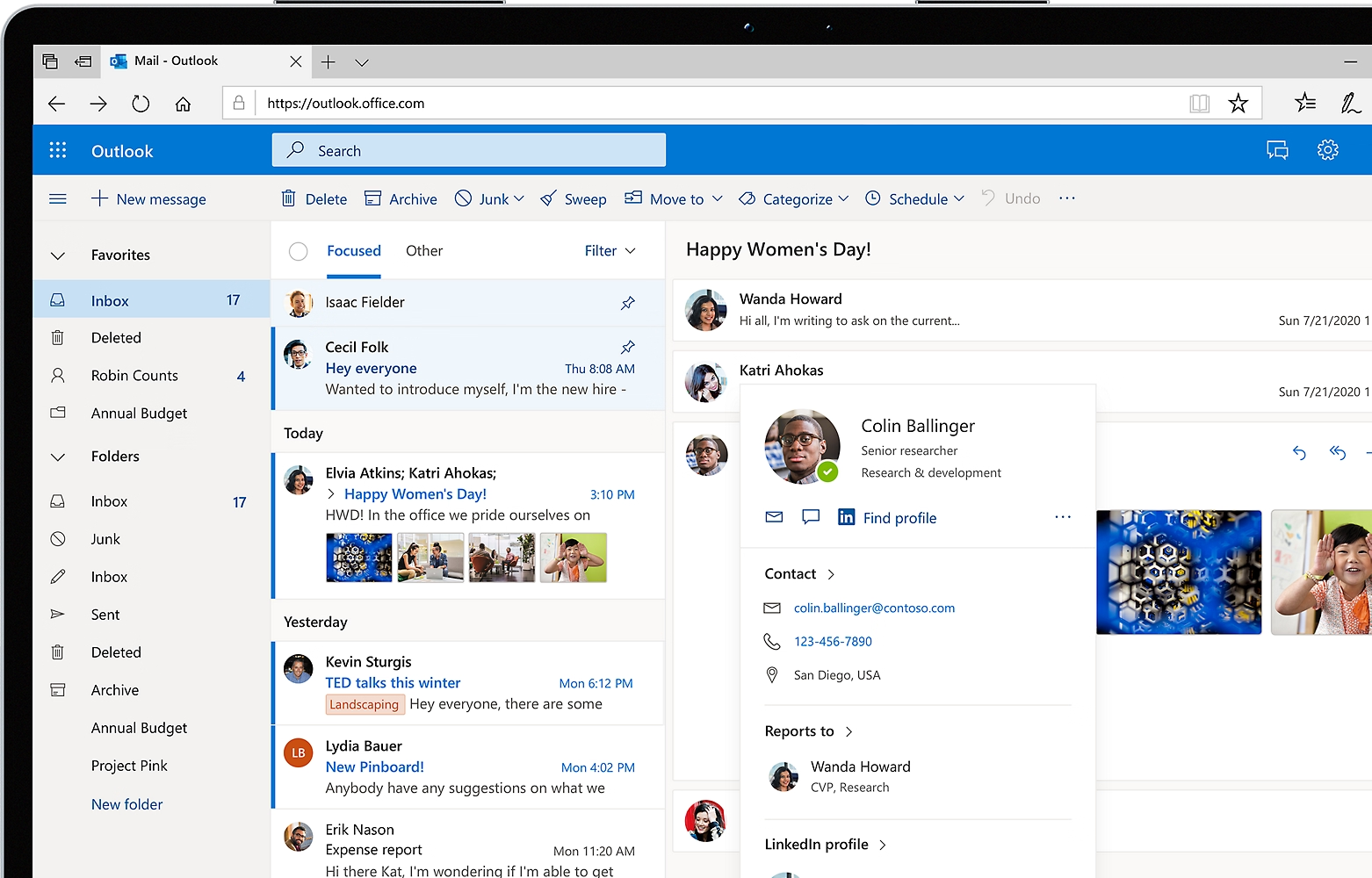
Introduction to Outlook
When people hear the word they often think of email—and they’re not wrong. However, Microsoft Outlook is far more than a simple inbox tool. It’s a comprehensive productivity platform designed to help individuals and businesses manage communication, schedules, tasks, and contacts in one unified space. Over the years, has evolved into a central hub for professional and personal organization, making it one of the most widely used tools in the modern workplace.
At its core, Outlook simplifies how we communicate. Email remains the backbone of professional interaction, and enhances that experience with advanced filtering, categorization, and automation features. But what sets it apart is how seamlessly it integrates email with calendars, contacts, and task management. This integration allows users to stay organized without jumping between multiple applications, which is a significant advantage in today’s fast-paced digital environment.
Beyond its technical capabilities, Outlook represents a shift in how we approach productivity. It encourages users to think holistically about their time and communication. Instead of treating emails, meetings, and tasks as separate elements,brings them together into a cohesive system. This approach not only improves efficiency but also reduces stress, as everything you need is accessible in one place.
The Evolution of Outlook
didn’t start as the powerful platform we know today. It began as a relatively simple email client in the late 1990s, introduced as part of the Microsoft Office suite. Over time, it underwent significant transformations, driven by changing user needs and advancements in technology. Each iteration brought new features, improved performance, and deeper integration with other tools.
One of the most notable shifts in evolution was its transition to cloud-based functionality. With the rise of cloud computing, Microsoft integrated with its online services, allowing users to access their emails and data from anywhere. This change was particularly important for businesses, as it enabled remote work and real-time collaboration long before these concepts became mainstream.
Another key milestone was the introduction of mobile compatibility. As smartphones became essential tools, Outlook adapted by offering robust mobile apps. These apps maintained the core functionality of the desktop version while optimizing the experience for smaller screens. Today, is a cross-platform solution that works seamlessly across desktops, tablets, and mobile devices, ensuring users stay connected no matter where they are.
Key Features That Define Outlook
One of the main reasons remains popular is its rich set of features. Email management is at the heart of the platform, but it goes far beyond basic sending and receiving. Users can create rules to automatically sort incoming messages, flag important emails for follow-up, and use categories to organize their inbox effectively. These tools help reduce clutter and ensure that critical communications are never overlooked.
The calendar feature is another standout aspect. calendar allows users to schedule meetings, set reminders, and share availability with others. This is especially useful in professional settings, where coordinating schedules can be challenging. The ability to integrate calendars with email invitations streamlines the process of planning meetings and events.
also includes task management and note-taking capabilities. Users can create to-do lists, assign tasks, and track progress directly within the platform. This integration ensures that tasks are closely tied to relevant emails and calendar events, making it easier to stay organized. Additionally, the contacts feature allows users to store and manage important information about colleagues, clients, and friends, further enhancing productivity.
Outlook in the Workplace
In the modern workplace, plays a crucial role in communication and collaboration. It serves as the primary channel for email communication in many organizations, providing a reliable and secure platform for exchanging information. Its integration with other Microsoft tools makes it even more valuable, as users can easily share documents, collaborate on projects, and schedule meetings.
One of the key advantages of in a professional setting is its ability to handle large volumes of email efficiently. Features like Focused Inbox help prioritize important messages, while advanced search capabilities make it easy to find specific emails quickly. These tools are essential for professionals who deal with hundreds of emails daily.
also supports team collaboration through shared mailboxes and calendars. Teams can access common resources, manage group communications, and coordinate schedules without confusion. This level of collaboration improves efficiency and ensures that everyone stays on the same page, which is particularly important in large organizations.
Personal Use of Outlook
While is often associated with business use, it’s equally valuable for personal organization. Individuals can use it to manage their personal emails, schedule appointments, and keep track of important events. The same features that benefit professionals can also help individuals stay organized in their daily lives.
For example, the calendar feature can be used to plan personal activities, set reminders for important dates, and even track habits. The task management tools are perfect for creating to-do lists and managing personal projects. By centralizing these functions, Outlook helps users maintain a clear overview of their responsibilities.
Another benefit of using personally is its ability to sync across devices. Whether you’re using a laptop, smartphone, or tablet, your data is always up to date. This ensures that you never miss an important email or appointment, no matter where you are.
Security and Privacy in Outlook
In today’s digital world, security and privacy are more important than ever. Outlook addresses these concerns with a range of built-in security features designed to protect user data. These include spam filtering, phishing detection, and encryption options that ensure sensitive information remains secure.
One of the standout features is advanced threat protection. This system scans incoming emails for potential threats, such as malicious links or attachments, and warns users before they interact with them. This proactive approach helps prevent cyberattacks and keeps users safe.
Privacy is another area where excels. Users have control over their data and can customize their privacy settings to suit their needs. Whether it’s managing email tracking or controlling access to shared calendars, Outlook provides the tools necessary to maintain privacy in a connected world.
Tips for Maximizing Productivity
To get the most out of Outlook, it’s important to use its features effectively. One of the best strategies is to organize your inbox using folders and categories. By grouping related emails together, you can quickly find what you need and reduce clutter.
Another useful tip is to take advantage of rules and automation. allows you to create rules that automatically sort incoming emails based on specific criteria. This can save a significant amount of time and ensure that important messages are prioritized.
Finally, make use of the calendar and task features. Instead of relying on separate tools, integrate your scheduling and task management within Outlook. This creates a unified system that keeps everything in one place, making it easier to stay organized and productive.
The Future of Outlook
As technology continues to evolve, so does. Microsoft is constantly introducing new features and improvements to enhance the user experience. One of the key areas of development is artificial intelligence, which is being integrated into to provide smarter suggestions and automate routine tasks.
For example, AI-powered features can help users compose emails more efficiently, suggest meeting times based on availability, and even prioritize messages based on importance. These advancements are designed to reduce the time spent on repetitive tasks and allow users to focus on more meaningful work.
Looking ahead, Outlook is likely to become even more integrated with other tools and platforms. As remote work and digital collaboration continue to grow, the need for a centralized productivity hub will only increase. is well-positioned to meet this demand, making it an essential tool for the future.
Conclusion
Outlook is much more than just an email client—it’s a powerful productivity platform that helps users manage communication, schedules, and tasks with ease. Its evolution over the years has transformed it into a versatile tool that meets the needs of both individuals and businesses.